AI study app
Turn your notes
into a tutor.
Upload PDFs, docs or a photo of a page.Ask anything and see the exact source. Then practice with an AI tutor that quizzes you on them.
iPhone & iPad · launch price $0.99 · pay once
How it works
From a pile of files to answers, and to knowing what is in them.
- 01
Upload your files
Drop in Markdown, PDF or Word documents: handbooks, notes, specs.
- 02
We index them
Each file is split into passages in the background, ready to be searched.
- 03
Ask, get cited answers
Answers come from your documents, with numbered sources you can open.
- 04
Learn what's inside
Short rounds of questions on each topic, checked against your files. No scores.
See it in a minute
The 70-second tour, with sound.
What makes it different
Built for studying from your own materials.
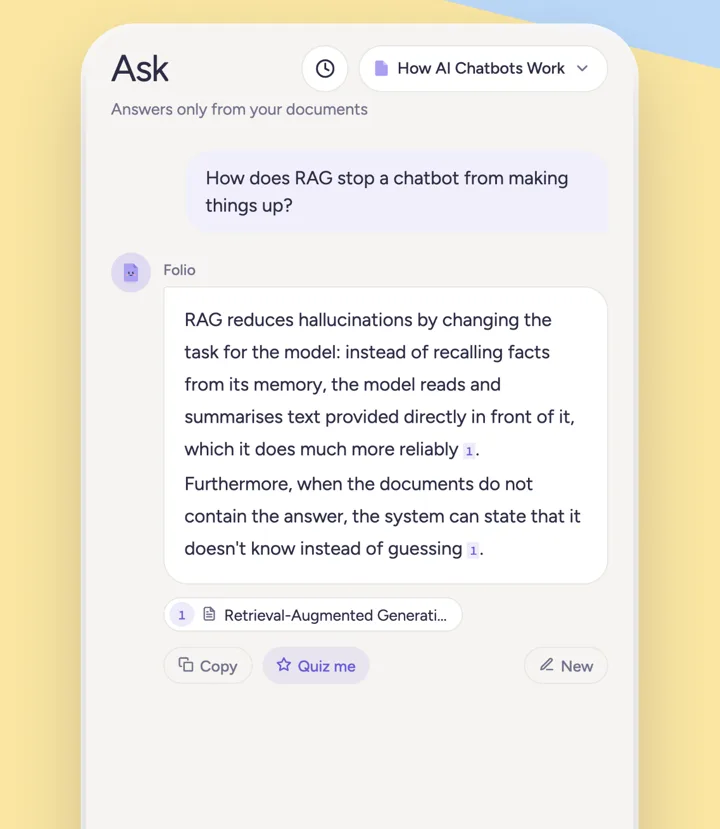
Answers with sources
Every answer comes from your notes and points to the exact passage.
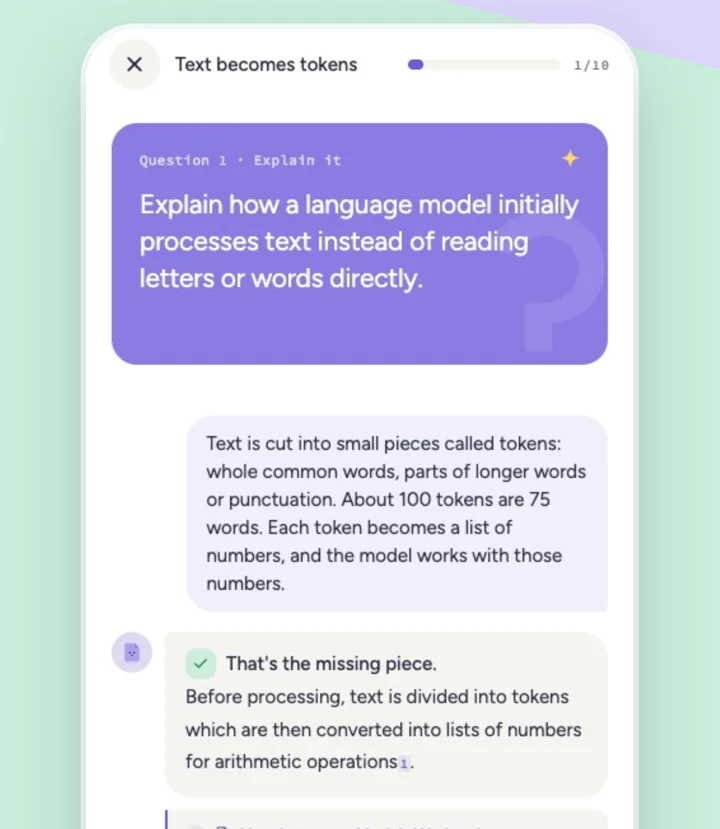
An AI tutor that quizzes you
Questions written from each section. Explain it your way and see exactly what you missed.
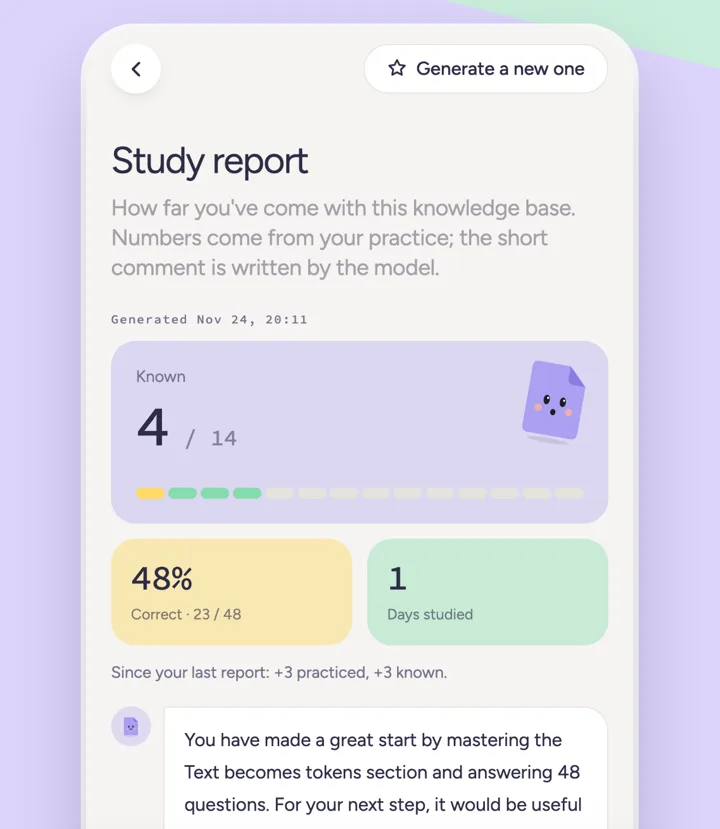
Know what to review
Every section levels up as you practice. Your study report says what's next.
Pricing
One price. No subscription.
$0.99$2.99
For the first 4 weeks on the App Store, then $2.99. Pay once, use it on iPhone and iPad.
- Free AI answers every day, no setup
- Bring your own API key for more
- Practice rounds, flashcards and a study report
- Scan pages with your camera
- Use it on the web with the same account
Questions
No. You pay once on the App Store. Free AI answers every day are included, and if you want more, you can add your own API key.
In your private library on our servers. When you ask a question, only the passages needed for the answer are sent to the AI model. You can delete any document, or your whole account, at any time.
Yes. In Settings, open Model & usage, pick a provider (OpenAI, Anthropic, Google Gemini, DeepSeek, Qwen or OpenRouter) and paste your API key. It's stored encrypted.
PDF, Word (.docx), Markdown and plain text files up to 4 MB, a link to a web page, or photos of pages taken in the app.